


PrettyUp - Video Body Editor
4.41.12K Reviews
App Specs
- Version
- 7.7.1.1
- Updated On
- License
- Free
- Downloads
- 10,000,000+
- Developer
- accordion
- Categories
- Photography
- Platform
- Android
Screenshots
 Analysis by AppCompare
When I first open a video editor focused on appearance, I want to know two things: can I make a small, useful change without getting lost, and can I still recognize myself afterward? That is the right way to approach PrettyUp. It is a photography app from accordion, built around editing faces and bodies in videos as well as improving selfies. It can be useful for a quick social post, but the best results come from treating its tools as adjustments rather than a reason to redesign every frame.
What to expect from a video-first beauty editor
PrettyUp is free to download, with optional in-app purchases ranging from $0.99 to $34.99 per item. It has an average rating of 4.5 from around 70,000 ratings, and more than 10 million installs. That reach makes sense: its purpose is easy to understand, especially if you already spend time polishing selfies and want similar control over moving footage. The app is rated Teen, so it is worth keeping that audience in mind if a younger person will be using it.
The important difference from a standard photo editor is that changes have to hold together across motion. A still image gives you one moment to inspect; a video reveals whether an edit looks consistent as the subject moves. I would start with a short clip and a modest adjustment, then watch the whole result rather than judging it from a single frame. That simple check is more useful than trying to make every available control do something.
A reassuring first setup
The app is on version 7.0.0 and lists Android 7.0 as its minimum operating-system requirement. Once it is installed, choose a clip you already know well rather than a precious one-off recording. A familiar video makes it easier to spot when a contour shifts unexpectedly or a facial change looks stronger in motion than it did while editing. Keep an untouched copy of the original so you can compare the finished version and begin again without regret.
If you are new to this kind of editing, decide on one goal before opening the tools: perhaps you want a softer selfie look, a small body-shape adjustment, or a more polished overall appearance. Trying to fix several things at once makes it harder to tell which change helped. I find a one-adjustment-at-a-time approach especially useful for clips with walking, turning, or changing posture, because those movements make inconsistencies easier to notice.
Getting to a first useful result
For a first pass, pick a brief, evenly lit clip with the subject clearly visible. Make one restrained edit, preview the start, middle, and end, and then compare it with the original. If the adjustment looks convincing only in one moment, reduce it or undo it. That may sound cautious, but it is the quickest route to an edit that feels intentional rather than distracting.
A practical everyday example is a short outfit video recorded before meeting friends. You might want the clip to feel a little more polished before sharing it, without turning the editing session into a full production. In that situation, I would make a subtle change, check that the background and body still look coherent as the camera moves, and stop once the video looks like a better-presented version of the moment. The goal is not perfection; it is a result you are comfortable posting.
Worth Reading Before You Choose

Flipboard Shows What News Apps Must Do Beyond the Feed

Switching to Android Auto Means Rethinking Your Driving Routine

Google Calendar Makes a Crowded Week Easier to Manage

Ludo King Makes the Most of the Minutes Between Plans

Baby Panda World Brings Quick Play to Modern Phones, but Its Game Library Feels Busy

ESPN’s Live Game View Makes Following Close Games Easier
Where the tools help—and where to be careful
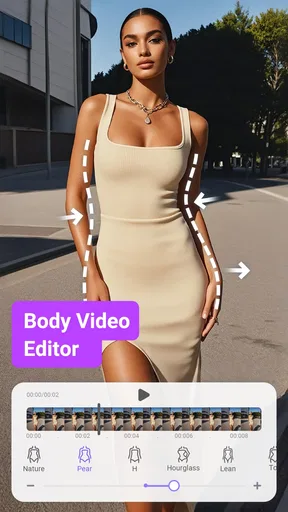
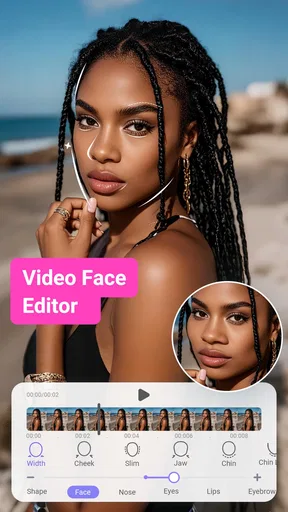
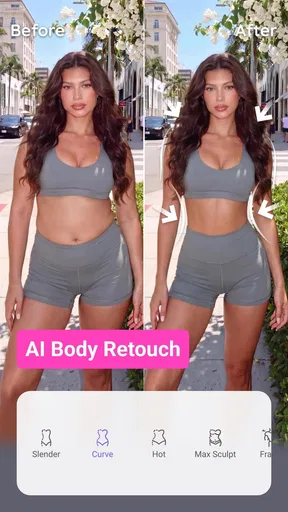
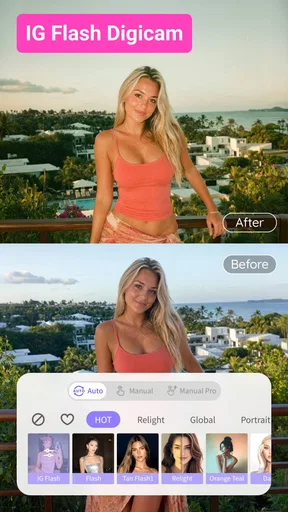
The app brings body reshaping and face retouching together with filters, effects, and background adjustments. That range makes it convenient when you want to refine a clip without switching between several apps. The trade-off is that an edit can become visually busy if you stack changes just because they are available. I would use the face tools for a specific detail, keep body adjustments restrained, and add a filter only if it supports the mood of the footage.
One useful habit is to inspect the edges of the subject after changing body shape or height. Background lines, door frames, furniture, and other straight details can make a distortion more noticeable than the edited person. If something looks bent or unstable, easing back the adjustment is often better than adding another effect to distract from it. This is a practical way to protect the natural look that many people want from beauty editing.
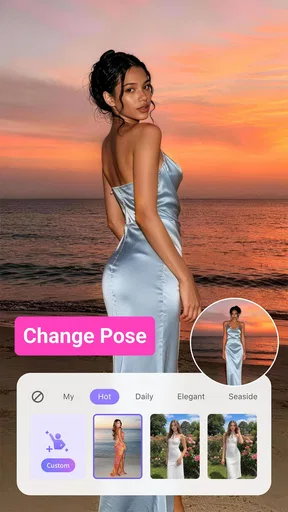
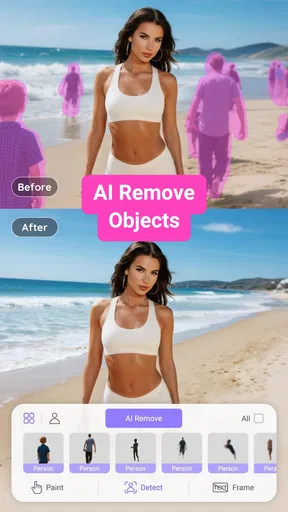
Background changes call for a similar check. A static portrait may be forgiving, while movement can expose an awkward transition around hair, clothing, or the outline of a moving arm. Preview the clip at more than one point and pay attention to those boundaries. If the source video has a cluttered setting or the subject blends into it, a different clip may be a better starting point than trying to force a clean result from difficult footage.
Common first-time confusion
It is easy to assume that a result that looks good in the editing view will look equally natural throughout the video. Motion can change that impression, so preview the entire clip before deciding you are done. Also, a stronger retouch is not automatically a better one: facial smoothing or reshaping can become conspicuous when expressions change. I would use the least adjustment that achieves the look you actually want.
Another point to consider is the difference between a focused beauty editor and a general-purpose video editor. PrettyUp is aimed at face and body appearance, whereas a broader editor is usually the better choice when your main task is arranging scenes, building a story, or shaping a soundtrack. If you mainly want to cut clips together or add a complex sequence, starting in a general editor will save time. If your priority is appearance-focused refinement, this app is the more direct place to begin.
Who will get the most out of it?
I can see it working well for people who regularly make short social videos, want a quick way to polish selfies, or prefer a dedicated set of appearance tools over learning a large editing suite. It is also a reasonable option for someone who wants to experiment privately before sharing, since comparing a light edit with the original helps build a feel for what looks right.
I would suggest skipping it if you do not want appearance changes in your photos or videos, or if you need a full timeline-based production workflow. It may also frustrate anyone expecting every difficult clip to become seamless with a single tap. Lighting, movement, framing, and background detail all affect how convincing an edit looks; choosing a more suitable source clip can matter as much as the adjustment itself.
Privacy, spending, and sharing decisions
Before editing a personal video, take a moment to think about what you are comfortable putting into any editing app and where you intend to share the finished version. For a low-pressure first try, use footage that you would be comfortable handling and posting. If the result is for a public account, watch it once with the sound and context you plan to use, then make sure the visual treatment still feels like you.
The app is free to start, but optional purchases are available, with listed items priced from $0.99 to $34.99. I would explore the basic workflow before paying for anything, then consider an in-app purchase only if a specific locked option matters to your routine. That keeps the decision practical: you can judge whether its style and controls fit your needs before spending money.
Why PrettyUp is a Must-Have
When I first downloaded PrettyUp, I was a bit skeptical. I mean, we’ve all seen those apps that promise the world but deliver a grain of sand. However, diving into this app was like finding a hidden gem. It’s packed with features that let you edit your videos and photos with ease, and the results are pretty spectacular.
Easy to Use Interface
One of the first things I noticed was how user-friendly the interface is. You don’t need to be a tech wizard to navigate through the options. Everything is laid out clearly, making it super easy to enhance your videos. Whether you want to slim down certain areas, adjust your height, or even tweak your facial features, it’s all just a few taps away.
Feature-Rich Experience
The features are where this app truly shines. You’ve got a whole suite of tools at your disposal:
- Body Reshaping: Want to adjust your waistline or lengthen your legs? Done.
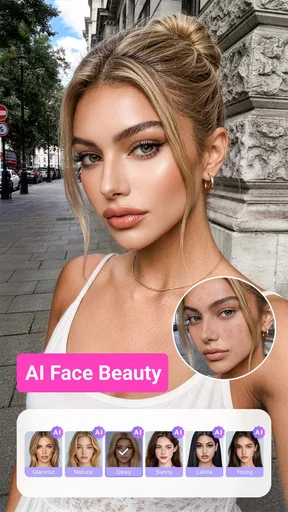
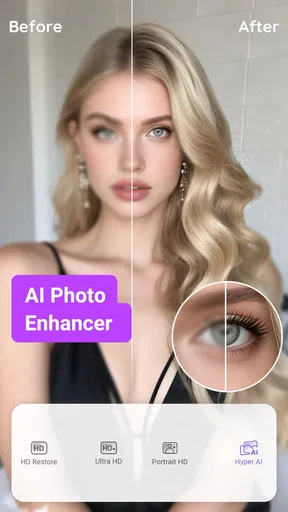
- Face Retouching: Smooth out those wrinkles or brighten your eyes without losing the natural look.
- Filters and Effects: Add a bit of flair with various filters to make your videos stand out.
- Background Adjustments: Change up the background to make your videos pop even more.
Each feature is designed to give you full control over how you want your videos to look, and the results are both natural and impressive.
Performance and Reliability
In terms of performance, PrettyUp runs smoothly without any noticeable lag. I’ve used it on several video clips, some of which were quite large, and the app handled them effortlessly. It’s reliable and doesn’t crash, which is often a concern with apps that have so many features packed in.
Sharing Made Simple
Another highlight is how easy it is to share your creations. Once you’ve finished editing, you can directly upload to your favorite social media platforms. The app supports high-resolution exports, so your videos look crisp and professional.
What Makes It Stand Out
Okay, so there are plenty of editing apps out there, but what sets PrettyUp apart? For me, it’s the combination of intuitive design and powerful editing tools. You get professional-quality edits without the steep learning curve. Plus, the results are subtle enough that you don’t end up looking like a completely different person, which is a huge plus in my book.
Final Thoughts
All in all, if you’re looking to step up your video editing game, PrettyUp - Video Body Editor is definitely worth checking out. It’s the perfect blend of fun and functionality, giving you the freedom to create stunning videos that reflect your personal style. So go ahead, give it a whirl, and get ready to impress your followers with some seriously awesome content!
Pros
- Easy-to-use interface for quick edits.
- Wide range of body editing features.
- Supports both photo and video formats.
- Real-time editing preview available.
- No watermarks on edited media.
Cons
- Limited features in free version.
- Some effects look unnatural.
- In-app purchases can be pricey.
- High battery usage during edits.
- Occasional app crashes reported.
FAQs for PrettyUp - Video Body Editor
What features does PrettyUp offer for video editing?
PrettyUp provides a variety of features for enhancing videos, including body shaping, face slimming, and skin smoothing tools. Users can adjust their waist, hips, and legs to achieve a desired look. Additionally, it offers filters and effects to further enhance the video aesthetics, making it comprehensive for personalizing video content.
Is PrettyUp user-friendly for beginners?
Yes, PrettyUp is designed with a user-friendly interface that makes it accessible for beginners. The app has an intuitive layout with easy-to-follow instructions, allowing users to navigate through features without any hassle. Even those with no prior editing experience can quickly learn to enhance their videos effectively.
Are there any privacy concerns with using PrettyUp?
PrettyUp takes user privacy seriously. The app does not store or share your videos without consent. However, as with any app, it's crucial to review the permissions requested during installation and ensure you are comfortable with the data access required for full functionality.
Does PrettyUp offer any in-app purchases or subscriptions?
PrettyUp includes in-app purchases and subscription options to unlock premium features. These may include advanced editing tools, exclusive filters, and ad-free experience. While the basic version is free, subscribing can enhance your editing capabilities significantly, depending on your needs.
What devices and operating systems is PrettyUp compatible with?
PrettyUp is available for both Android and iOS devices. It supports a wide range of smartphones and tablets running on recent versions of these operating systems. To ensure optimal performance, it's recommended to keep your device updated and check compatibility on the app's download page.


